
Originally posted on QuicKing, the Kingdom of QML Workaround, the blog I kept in 2011 and 2012. Here’s how that kingdom started and ended.
First of all, this technique is not recommended: using gradients for effects can make your application slower.
The idea started with Marcelo Kohl. We made it so we could change the colors, radius and size of objects without creating new images. 🙂
Different colors and radius
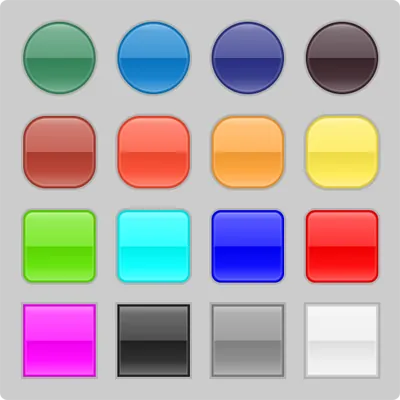
Apply it to your rectangles
Rectangle{
    width: 100
    height: 100
    color: "green"
    radius: 10 // '0' to square and 'width/2' to round
    smooth: true
    border.color: "#22000000"
    border.width: 6
    Glossy{}
}
Glossy.qml
import QtQuick 1.0
Rectangle {
    anchors.centerIn: parent
    width: parent.width - parent.border.width
    height: parent.height - parent.border.width
    radius:parent.radius - parent.border.width/2
    smooth: true

    border.width: parent.border.width/2
    border.color: "#22FFFFFF"

    gradient: Gradient {
        GradientStop { position: 0;    color: "#88FFFFFF" }
        GradientStop { position: .1;   color: "#55FFFFFF" }
        GradientStop { position: .5;   color: "#33FFFFFF" }
        GradientStop { position: .501; color: "#11000000" }
        GradientStop { position: .8;   color: "#11FFFFFF" }
        GradientStop { position: 1;    color: "#55FFFFFF" }
    }
}
Alan Westbrook tried to do this with a simpler idea (Shiny!, on the qt-qml mailing list), but look at Martin Jones’s comments: he doesn’t recommend it. 😦
Damn programmers.